You sit down to review the day, and another message comes in. The vegetable supplier hasn’t confirmed tomorrow’s order. The kitchen is short of an ingredient. Your manager is still trying to explain a payment difference.
You have a team and software, yet too many decisions still wait for you to chase someone. That makes it hard to step away, plan ahead, or give customers your attention.
Restaurant automation can help by preparing routine work, flagging exceptions, and giving each follow-up a clear owner. You approve the important decisions. Your team gets a clearer next step.
Here are eight places we can help you look for that opportunity. The examples below are illustrative, not customer results or promised savings. What can be automated depends on the records your team keeps and the access your existing tools provide.
1. Know What to Buy Before Stock Becomes a Problem
Buying too little leaves you arranging urgent deliveries. Buying too much leaves cash sitting on shelves, sometimes until the food spoils. Either way, you pay for a decision made with incomplete information.
A purchase planner can bring together usable stock, expected demand, recipe quantities, confirmed incoming deliveries, and supplier lead times. Your manager receives a draft list to check before the ordering deadline.
For example: tomorrow’s plan calls for 12 kg of an ingredient, including a 2 kg buffer. You have 4 kg of usable stock and 3 kg confirmed to arrive before prep. The suggested purchase is 5 kg. If that delivery becomes uncertain, the list needs review.
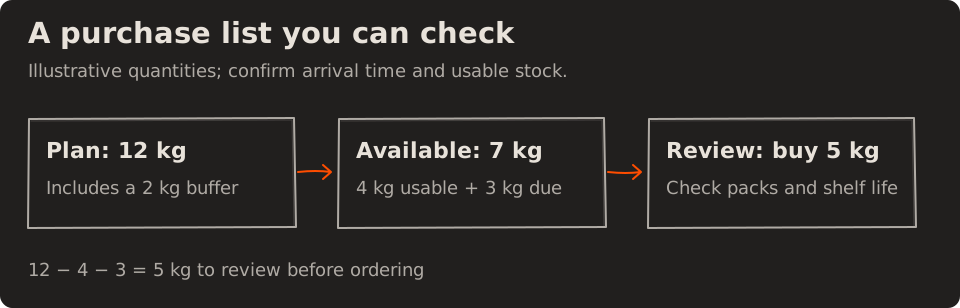
Sales and recipes help estimate usage; they do not prove what is on the shelf. Keep physical checks for important ingredients and record deliveries, waste, and recipe changes. Check shelf life, storage space, and supplier pack sizes before ordering.
What gets easier: your manager reviews a prepared list instead of rebuilding it from memory. Track purchase-planning minutes per day and emergency purchase trips per week.
2. Catch Shortages Before the Kitchen Feels Them
Finding out you have run out after accepting an order puts your team in a difficult position. Someone has to explain the delay, offer an alternative, or arrange a refund.
An alert can compare estimated portions remaining with current sales and the time needed to replenish or prepare more. Give the alert to someone who can act during service.
For example: you estimate 20 portions left and are selling roughly 10 an hour. That suggests about two hours of stock at the current pace. If replenishment takes three hours, your manager needs to check now.
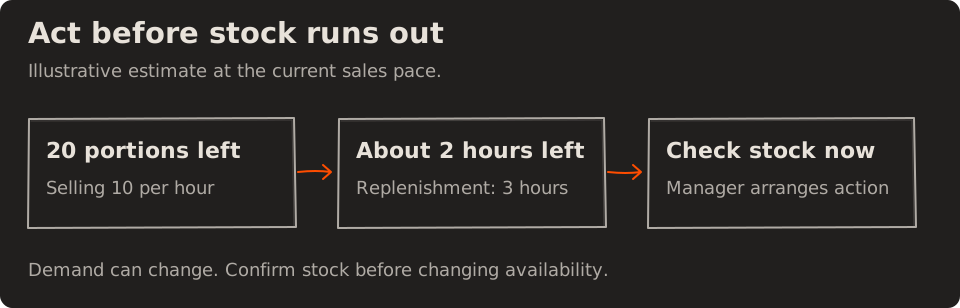
That estimate changes when demand changes. The kitchen should confirm stock before the manager arranges replenishment or marks a dish unavailable. Any substitution still needs the kitchen’s approval and accurate ingredient information for the customer.
What gets easier: your team has time to respond before promising a dish it cannot serve. Track minutes a key dish is unavailable during service and accepted orders cancelled because an ingredient ran out.
3. Spend Less Time Calling and Following Up With Suppliers
You send an order, call to check it was received, then call again to ask when it will arrive. If someone else placed it, first you have to find the message.
One shared order record can hold the items, agreed prices, requested delivery time, supplier response, and what actually arrived. Software can prepare supplier-specific requests and remind the person responsible when confirmation is missing.
For example: the vegetable order is due for confirmation by 4 pm. At 4:15, it is still unconfirmed. The manager gets a follow-up task with the order details, rather than leaving you to discover the problem the next morning.
A sent message is not a confirmed order. If the supplier works by phone, staff can record the answer. When 8 kg arrives against 10 kg ordered, the short delivery should stay visible until someone resolves it.
What gets easier: everyone can see what is ordered, confirmed, and outstanding. Track staff minutes spent following up each day and orders still unconfirmed at your cutoff.
4. See Where Food Waste Is Eating Into Your Margin
You can see the food bill rising, but it is harder to know which change would help. Are you over-preparing? Buying more than you use? Losing ingredients before service?
Start with a quick waste record: item, quantity, reason, and shift. Use a consistent ingredient cost to estimate the loss, then review the most expensive repeated causes.
For example: your team records 2 kg of prepared food discarded after lunch on three comparable days. At an estimated ingredient cost of ₹180 per kg, that is ₹1,080 in recorded ingredient waste. Try a smaller first batch and review waste alongside whether customers still get served on time.
That ₹1,080 is an illustration of ingredient cost, not lost sales or guaranteed savings. It excludes labour and overhead. The record shows where to investigate; the team still decides how to change purchasing or preparation.
What gets easier: you have a specific problem to work on. Track recorded waste cost per 100 covers, using the same costing method and consistent logging. More complete logging may initially make reported waste rise.
5. Spot Kitchen Bottlenecks Before Orders Start Running Late
A busy kitchen can look fully occupied while one station holds up the whole meal. Hiring more people or asking everyone to work faster may miss the actual problem.
Where your kitchen records station progress, a shared view can show waiting tickets, how long they have waited, and which station needs attention. Ticket counts alone are not enough: six quick items and six slow dishes are different workloads.
For example: the fryer has six waiting items and its oldest ticket has been waiting 12 minutes. The prep station has two items. The kitchen lead can check the fryer queue, move a trained person if appropriate, and revise timing for affected orders.
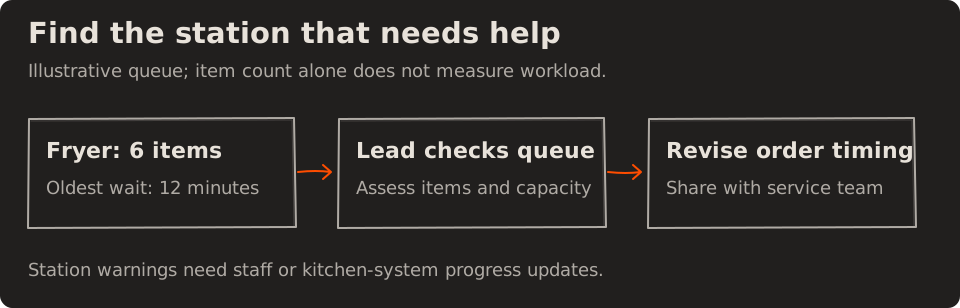
If your system only records when a whole order is ready, start there. Station-level warnings need station-level updates; software cannot see progress nobody records.
What gets easier: the kitchen lead knows where to look first. Track how long the oldest open ticket has waited at each station and the share of orders ready within your agreed preparation target, comparing similar shifts.
6. Know Which Delays Are About to Reach the Customer
A kitchen warning helps your cooks. Your floor team needs a different answer: which table or delivery order needs an update right now?
Connect the promised ready time, the kitchen’s latest estimate, and the person handling the customer. Flag orders likely to miss that promise early enough for someone to respond.
For example: an order was promised for 8:15 pm. At 8:05, the kitchen revises its ready time to 8:25. The shift lead gets a task to check the estimate and update the customer before 8:15.
| Time | What the team knows | Next action |
|---|---|---|
| 8:00 pm | Order accepted; ready time is 8:15 | Record the promise |
| 8:05 pm | Kitchen now expects 8:25 | Flag a possible 10-minute delay |
| Before 8:15 pm | Shift lead confirms the delay | Update the customer and record it |
An early message does not remove the delay. It gives your team a chance to explain it and offer an appropriate option before the customer has to chase.
What gets easier: service staff can follow up on the right orders. Track the percentage ready after the promised time and, among late orders, how many customers were updated before that promise expired. Keep kitchen-ready time separate from delivery arrival time.
7. Stop Spending Closing Time Matching Every Payment
Service is over, but your manager is still switching between the billing system, payment reports, delivery statements, and a cash count. A difference in totals can turn a long day into an even longer evening.
A reconciliation workflow can compare sales and payment records, identify matches, and prepare a list of exceptions. Matching needs transaction references, refunds, fees, and settlement dates where available; equal totals alone are not proof.
For example: a delivery statement shows ₹10,000 in collections and ₹1,500 in listed deductions, leaving ₹8,500 expected on its stated payout date. An ₹8,500 payout may be correct. A payment still within its settlement window should stay pending, rather than being labelled missing.
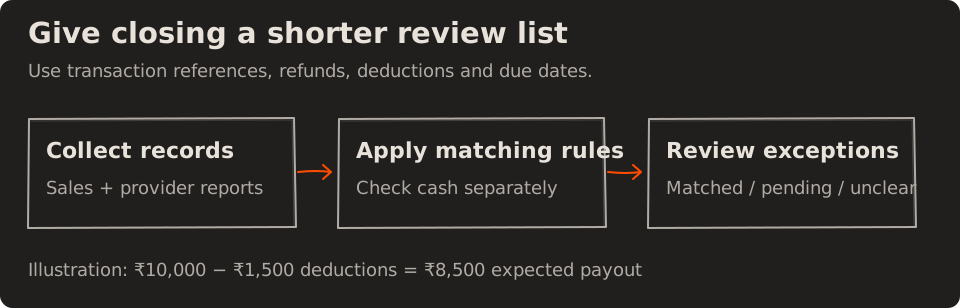
Cash still needs a physical count, with the opening float, cash refunds, and paid-out expenses accounted for. Your accountant or manager should review how the matching rules handle each payment channel.
What gets easier: closing starts with a prepared review list. Track minutes spent reconciling each close, the count and value of unexplained differences, and payouts past their expected settlement date.
8. See What Needs Attention Without Checking Five Different Places
When every update arrives in a different app, you become the person holding the whole operation together. A dashboard full of numbers can leave you with the same job.
Give your manager a short action list: what happened, who owns it, when it needs attention, and whether it is resolved. Escalate overdue or important items to you using rules you agree.
For example: “Stock low” is vague. “Check paneer before dinner; chef responsible; due 5 pm” gives someone a job to complete.
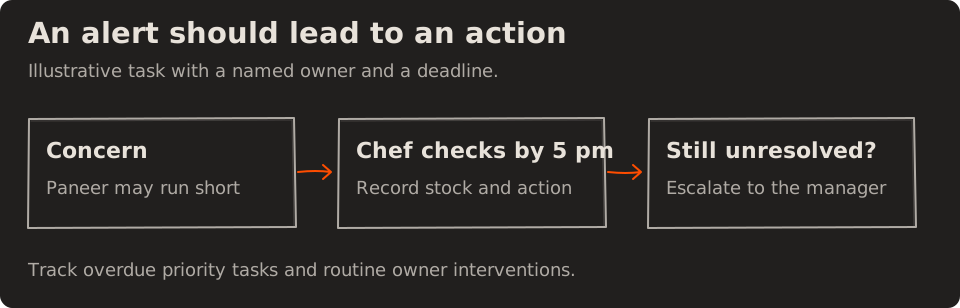
A useful starting list might include an unconfirmed supplier order, a shortage warning, and an overdue payout. Keep routine updates out of the owner’s urgent list so real exceptions are easier to notice.
What gets easier: you can see what needs your decision and what your team is already handling. Track priority tasks overdue at handover and how many routine follow-ups still require you to step in.
Start With the Problem That Keeps Coming Back
You do not need to take on all eight workflows at once. Choose the one that interrupts service, takes the most repeated effort, or keeps reaching you at the end of the day.
We can help map that work, check what your current tools can share, and scope a focused solution. That may mean connecting systems, working from exports, or adding a simple staff input. The starting point is what your restaurant can reliably record and maintain.
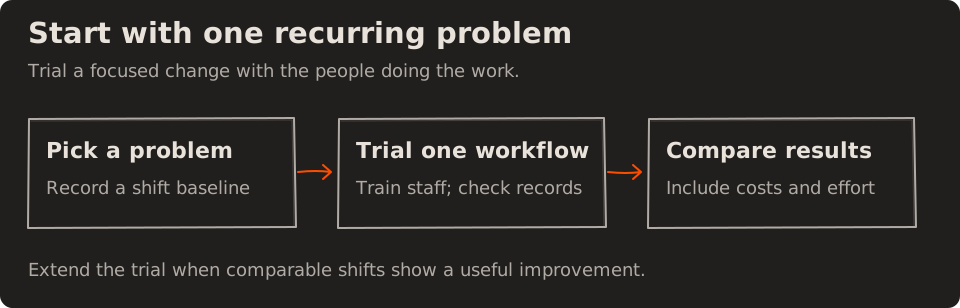
Before a trial, record a baseline across comparable shifts. Repeat the same measures after the team has learned the new process. Keep weekends, events, and changes in order volume visible so a quieter week does not look like an automation benefit.
| Your main problem | Measure the improvement | Check the trade-off |
|---|---|---|
| Last-minute buying | Emergency purchase trips per week | Waste and dish availability |
| Too much discarded food | Recorded ingredient waste cost ÷ covers × 100 | Stock-outs and logging completeness |
| Late orders | Orders ready after the promise ÷ completed orders × 100 | Comparable order types and shift volumes |
| Slow closing | Reconciliation minutes per close | Unexplained differences and overdue payouts |
| Everything reaches you | Routine owner interventions per shift | Priority tasks left unresolved |
Time saved gives your team capacity back. It becomes a cash saving only if it changes a real expense, such as paid overtime. We should also account for software fees, setup, training, and the effort needed to keep records current when judging whether a change is worth continuing.
Run the Restaurant. Let the Repetitive Work Run Itself.
You should be able to spend more of your day with customers, supporting your team, and planning the business. Prepared purchase lists, clear follow-ups, and payment exceptions ready for review can help make room for that work.
Your team still checks, approves, and handles the unexpected. The aim is to stop every routine task from needing your reminder.
Tell us which job you are tired of chasing. Share how it works today, which tools you use, and where your team gets stuck. Melman Labs can help you identify a practical starting point and scope what it would take to improve it.