You’re making the next supplier order. The billing app shows what sold, but you still walk through the shop with a notebook to work out what to buy. Some boxes have already been ordered. A few are set aside for customers. You check with the staff before sending the list.
That extra checking adds up every time you buy stock. Good shop inventory management brings those details together, so you can see what needs replenishing, what is already coming, and what should stay off the order.
Here’s how that process can work for a small retail shop—and where software can take work off your team’s hands.
Start with stock you can actually sell
A useful purchase list starts with a reliable stock balance. Record each product and variant separately: two charger models or two clothing sizes need their own quantities. Use consistent units too, so a carton received does not accidentally become one item in the system.
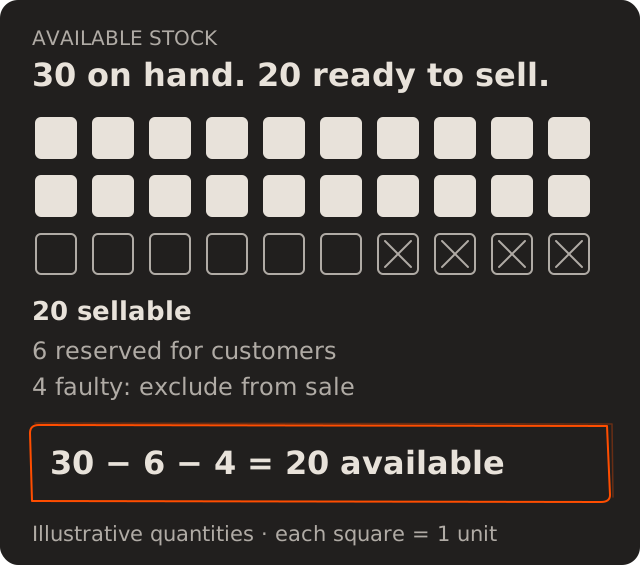
From there, separate sellable stock from damaged goods and units reserved for customers. If the record says 30 chargers but 4 are faulty and 6 are reserved, only 20 are available for new sales. These figures are illustrative.
Your billing or point-of-sale system may already record sales. Connecting those records with deliveries, returns and adjustments gives staff a shared starting point. Regular physical counts help catch anything the records missed.
Set reorder points before the shelf runs empty
Once the stock balance is useful, the next question is when to buy. Waiting until the last few units remain can be too late if the supplier needs several days to deliver.
A simple starting rule is:
Reorder point = average daily sales × delivery lead time + safety stock
Lead time covers the wait until the delivery is available to sell. Safety stock is a buffer for changes in demand or delivery timing. This relationship is also used in Oracle’s inventory planning documentation.
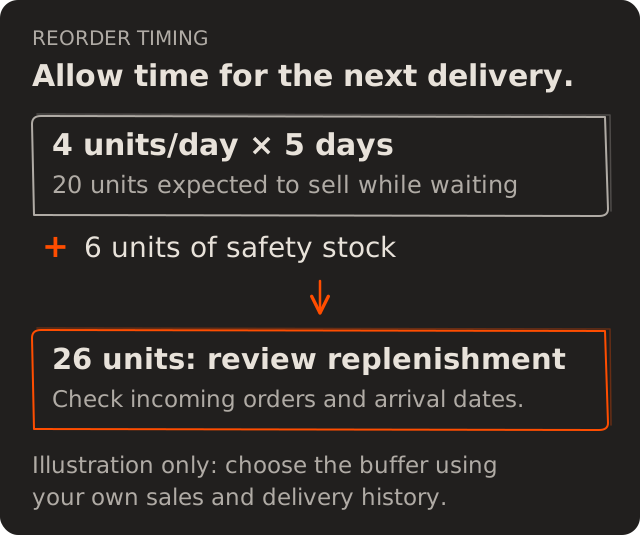
For an illustrative charger example, assume sales average 4 units a day, delivery takes 5 days, and you choose a buffer of 6 units. That gives a reorder point of 26 units. The buffer needs to reflect your sales and supplier history; six is only an example.
Use the threshold to prompt a purchase review. Check existing orders and their arrival dates first, so an alert does not lead to a duplicate purchase. A delayed delivery needs attention even when it appears in the incoming-stock total.
Decide how much to buy—and what to leave out
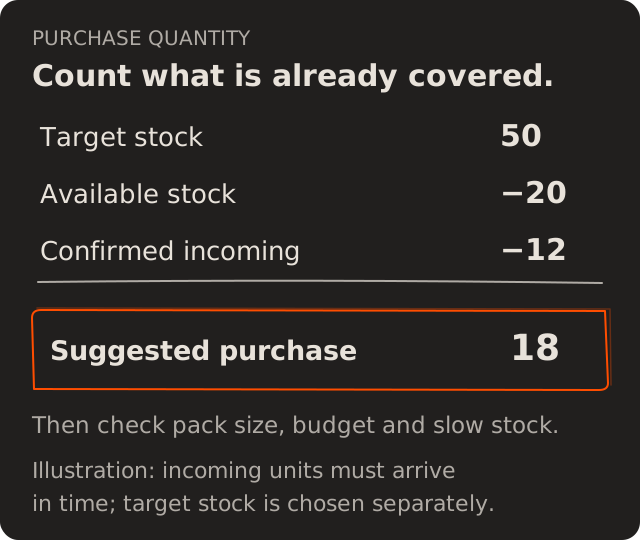
The reorder point tells you when to review a product. The order quantity depends on how long the next purchase should cover, what is already available or incoming, and supplier pack sizes.
At that review, bring slow-moving stock into view too. If one charger model sells regularly while another has barely moved, ordering the same quantity of both keeps money tied up in the slower item. A supplier discount deserves a check against likely sales, storage space and your buying budget.
One purchase view should show recent sales, available stock and outstanding deliveries together. You can then increase, reduce or pause an order with the relevant information in front of you.
Record the delivery to keep the next order accurate
That purchase decision needs to carry through to receiving. If 24 chargers were ordered but only 20 arrived, record the 20 received and keep the remaining 4 visible as outstanding until the supplier resolves them.
The same applies to damaged units and returns: record the quantity and reason when they happen. Otherwise, the next purchase list starts with a balance somebody has to reconstruct again.
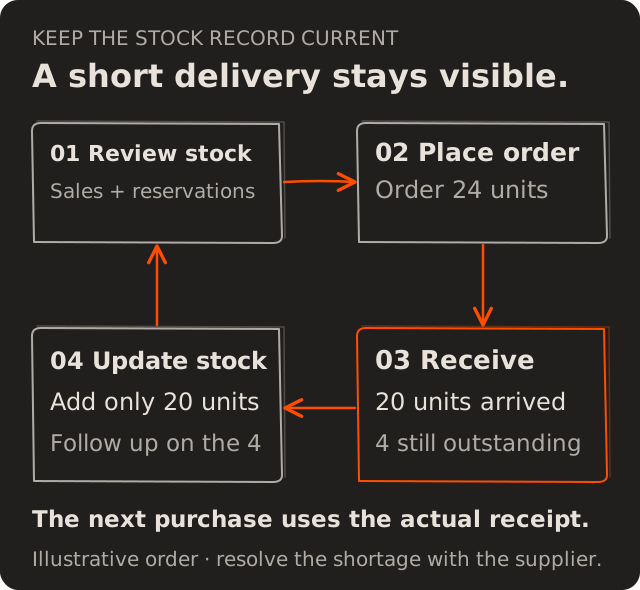
This closes the loop. Each sale and delivery improves the information available for the next buying decision.
When does your shop need inventory management software?
A spreadsheet can support a small range with one person keeping it current. Inventory software becomes useful when several people update stock, sales come through different channels, or checking separate records delays every supplier order.
A focused project can connect the billing data you already have, add receiving and adjustment records, and prepare a purchase list for review. The scope depends on the connections your existing tools support. If stock also needs to connect with dispatch, accounts and multiple locations, our guide to ERP for growing businesses explains the wider setup.
At Melman Labs, we can help assess that workflow and scope the software around it. Bring the billing tool, stock sheet and supplier-order process you use today; those give us a concrete place to start.
Make the next supplier order easier
The next order should begin with a list your team can check and approve. Getting there means connecting the stock movements, delivery dates and buying decisions that currently sit apart.
Discuss your shop inventory project with Melman Labs. Tell us what you sell, how you track stock, and which part of ordering takes the most checking. We can use that to define a practical first version, the integrations it needs, and the work involved.